
Bloom Hub / Getting Started
The website launch checklist I use for every client
By Jade · October 2026 · 8 min read
A new website is exciting right up until you press publish and find out the booking button goes nowhere. This is the website launch checklist I work through before any client site goes live. I’ve written it for beauty and wellness businesses, but it works as a small business website checklist for pretty much anyone in the UK.
In this guide
- Content: read every word before anyone else does
- Booking: book something yourself
- Mobile: test it on your actual phone
- SEO basics for your website launch checklist
- Legal bits for UK businesses
- Tracking: so you know what’s working
- Security and housekeeping
- Replacing an old website? Set up redirects
- Launch day: the last part of your website launch checklist
- The first 30 days after launch
- Questions I get asked
Want a hand with this?
Book a free call and I’ll tell you exactly where I’d start with your business.
Copy it into your notes app and tick things off as you go. It looks long. Most items take five minutes, and every one of them is on here because I’ve seen it go wrong for someone.
Content: read every word before anyone else does
Clients notice mistakes more than you’d think, especially when they’re about to trust you with their skin.
- Proofread every page, out loud. Reading aloud catches the missing words your eyes skip over.
- Check every price matches your booking system. If your site says £45 and your booking page says £55, the client remembers the £45.
- Show the full price upfront. Any booking or admin fee every client has to pay belongs in the advertised price, not added at checkout. Since April 2025 that kind of drip pricing is unlawful, and the CMA’s price transparency guidance explains what counts.
- Read each treatment description as a nervous first-timer. They want to know how long it takes, what it feels like and what the aftercare involves.
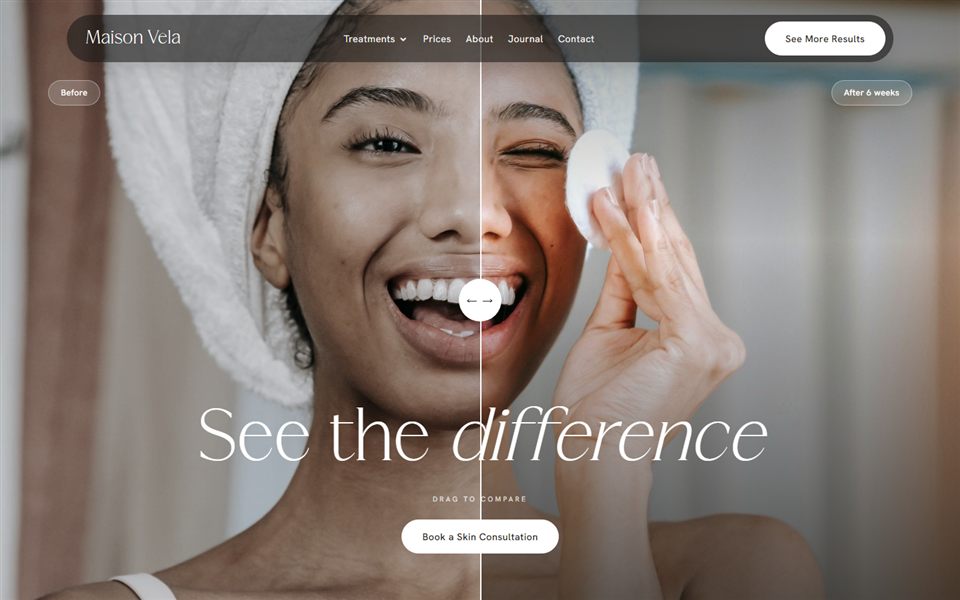
- Check your before and after photos. They should be your own work, with no retouching or filters on the treated area. The ASA treats them as a claim about results, and its beauty advertising advice is worth ten minutes of your time.
- Check how you describe injectables. If you offer anti-wrinkle injections, Botox is a prescription-only medicine and can’t be promoted to the public, and that includes your own website. The CAP guidance on Botox shows what you can say instead.
- Check your phone number, email and address. Ring the number from the site and send yourself a message through the contact page.
- Match your opening hours to your Google profile. Two different sets of hours is a quick way to lose trust.
- Update your About page. A real photo of you and a few honest lines about your training will do more than a paragraph about passion.
- Delete placeholder text. “Lorem ipsum” has gone live on more websites than anyone likes to admit.
If you’re still deciding what to charge, sort that before anything else. My guide to pricing your beauty treatments walks you through it.
Booking: book something yourself
This is the part that pays the bills, so it gets the most testing.
- Click every “Book now” button on every page. Old links to an old booking page are really common.
- Check your online booking is connected to the right calendar. A booking that lands in a calendar you never look at is worse than no booking at all.
- Make your deposit and cancellation policy visible before someone pays. People accept a deposit far more happily when it isn’t a surprise, and terms they never saw are much harder to rely on.
- Make a real test booking. If you take deposits, use a real card, then cancel and refund it. It’s the only way to see exactly what your client sees.
- Read the confirmation and reminder emails. They should have your name, address and parking info, not the booking system’s default wording.
- Mention patch tests where they’re needed. Lash lifts, tints and some brow treatments need one, so say so before the client books.
Mobile: test it on your actual phone
Most of your clients will find you on their phone, often straight from Instagram, often while they’re waiting for something else. Shrinking your laptop browser isn’t the same as holding the thing in your hand.
- Open every page on a real phone. Ideally an iPhone and an Android, because Safari and Chrome show fonts and buttons slightly differently.
- Make sure buttons are easy to tap with a thumb. The accessibility standard sets 24 by 24 pixels as the minimum, and I design main buttons a good deal bigger than that. If you have to zoom in to hit a link, it’s too small.
- Check your text is readable. Pale grey on cream disappears on a phone in daylight. Normal body text needs a contrast ratio of at least 4.5:1 against its background.
- Make your phone number tap-to-call. People want to ring you from the page, not copy and paste a number.
- Check nothing scrolls sideways. A wide image or table that makes the page wobble left and right looks broken.
- Test the speed on 4G, not just your Wi-Fi. Turn your Wi-Fi off and try it, then run your homepage and your main treatment page through PageSpeed Insights and look at the mobile results first.
- Open and close the menu. Tap every link in it and make sure you can find your way back.
SEO basics for your website launch checklist
You don’t need to be an SEO expert to launch. You just need the foundations in place so Google understands what you do and where you do it.
- Give every page its own title. “Lash Extensions in Leeds | Your Studio Name” does far more for you than “Home”.
- Write a meta description for every page. It’s often the snippet under your link in Google, so treat it like a tiny advert.
- Use one main heading (h1) per page. It should say what the page is about, with the treatment and town where it makes sense.
- Add alt text to your images. A short, honest description helps people using screen readers and gives Google context.
- Compress your images. Huge photos straight off a camera are the most common reason I see small sites load slowly.
- Set up Google Search Console and submit your sitemap. It’s free, and it’s how you tell Google the site exists and see what it finds.
- Link your Google Business Profile to the new site. Check it goes to the right page and not an old address, and that your business name, address and phone number match the website exactly.
Once the basics are done, my guide to getting found on Google locally is the natural next step.
Legal bits for UK businesses
Not the fun part, and still not optional. I’m not a solicitor, so use this as a list of things to check rather than legal advice.
- Add a privacy policy. If your forms or booking system collect names, emails or health details, people need to know what you do with them and how long you keep them.
- Get consent for marketing cookies. Under PECR you need consent before setting non-essential cookies such as the Meta pixel or advertising tags. Since February 2026 there’s an exception for simple analytics used only to improve your site, but it has conditions, including telling people and giving them an easy way to object. Analytics linked to advertising won’t qualify, so if in doubt, ask. The ICO’s guidance on cookies and similar technologies sets out the rules.
- Make “reject” as easy as “accept”. The ICO says refusing has to be as easy as accepting, so a banner with “accept all” and only a “more options” link doesn’t cut it.
- Publish your terms. Especially if you take deposits, sell gift vouchers or sell products online.
- Say who you are. The Electronic Commerce Regulations expect your business name, a geographic address, an email address and your VAT number if you’re registered to be easy to find on the site.
- Show your company details if you’re a limited company. Your registered company name, company number, registered office address and the part of the UK you’re registered in should be on the site. GOV.UK lists exactly what’s needed.
- Think about where consultation forms end up. Health information is special category data, so it shouldn’t be sitting in a general inbox forever.
- Check whether you owe the ICO fee. Most small businesses handling client data need to pay the data protection fee, which is £52 a year at the lowest tier. The ICO’s fee checker tells you in a couple of minutes.
Tracking: so you know what’s working
Six months from now you’ll want to know whether Instagram or Google brings in more bookings. You can only answer that if tracking is set up from day one.
- Install Google Analytics 4 and check it’s recording. Open the realtime report, visit your site on your phone, accept cookies and make sure you show up.
- Send form notifications to an inbox you actually check. I’ve seen enquiries go to an old developer’s email address for months.
- Test every single form. Contact, newsletter, consultation, gift voucher. Submit each one, then check it arrived and didn’t land in spam.
- Check your newsletter signup reaches your email list. Look at the list itself, not just the thank you message.
- Track the actions that matter. Set up key events in Analytics for “Book now” clicks, tap-to-call and form submissions, and add UTM tags to your Instagram bio link so it shows up as Instagram. If you plan to run Google Ads, connect your cookie banner to Google’s consent mode before you spend a penny.
Security and housekeeping
- Make sure the site loads on https. Browsers warn people about sites that aren’t secure, and clients do notice.
- Switch on automatic backups. And know how to restore one, or who to call if you can’t.
- Use strong, unique passwords and two-factor login where you can. Remove accounts for anyone who no longer needs access.
- Delete test pages and sample content. Forgotten pages get picked up by Google and look careless.
- Let search engines see the site. A lot of website builders hide a site from Google while it’s being built. Make sure that setting is switched off at launch.
Replacing an old website? Set up redirects
This gets missed all the time, and it can quietly undo years of Google rankings.
- List every page on your old site. Especially the ones that get visits or have links from other websites.
- Point each old address to the closest new page with a 301 redirect. Your old lash prices page should go to your new lash page, not the homepage.
- Update old links everywhere else. Instagram, Linktree, your Google profile, directories, your email signature.
- Watch for errors in Search Console for a few weeks. Pages showing as “not found” tell you which old links you’ve missed.
Launch day: the last part of your website launch checklist
Pick a day when you’re not fully booked. You want time to fix the odd thing and reply to people.
- Do one last click-through on your phone. Every page and every button, one more time.
- Update your Instagram bio link. And Facebook, TikTok, Linktree, wherever your link lives.
- Update the website link on your Google Business Profile. It’s easy to forget and it’s where a lot of local clients will click from.
- Announce it on your socials. Show a few pages and tell people what’s easier now, like booking online or seeing prices upfront.
- Email the clients who’ve agreed to hear from you. Marketing emails need consent or the soft opt-in, so not everyone in your booking system counts. My email marketing guide covers the rules.
- Mention it to your regulars in person. A quick word at the end of an appointment works better than you’d expect.
The first 30 days after launch
Launch isn’t the finish line. The first month is when you find the little things nobody spotted.
- Week one: check every booking and enquiry comes through. Ask a couple of friends to book and tell you anything that felt clunky.
- Week two: look at Search Console. Check your pages are being indexed and fix any errors it flags.
- Week three: look at Analytics. See which pages get visits, which ones people leave quickly and how many “Book now” clicks you’re getting.
- Week four: build reviews into your routine. Ask every client, not only the ones you think loved it, because Google’s rules don’t allow cherry-picking happy clients, and never offer a discount in return. Here’s how I’d ask for them.
- Keep a running list of tweaks. A photo you want to swap, a question you keep getting in DMs that deserves an FAQ. Small changes add up.
If you’d rather not worry about any of this, it’s something I take care of with every bespoke website I build.
Questions I get asked
What should I check before launching a website?
At the very least, proofread everything, test every booking button and form, check the site on a real phone and make sure it loads on https. Then add page titles, a privacy policy, a cookie banner if you need one, your business details, and connect Google Search Console. The checklist above covers everything else.
Do I need a cookie banner on my small business website?
If you use advertising or tracking cookies, such as the Meta pixel or Google Ads tags, then yes, UK rules say you need consent first. Since February 2026, simple analytics used only to improve your own site can be exempt, as long as you explain it and give people an easy way to opt out. If your site only uses strictly necessary cookies, you don’t need a consent banner, but you should still explain them in your privacy policy.
How long does it take Google to find a new website?
Anything from a few days to a few weeks. Submitting your sitemap in Search Console and linking the site from your Google Business Profile both help. Ranking well for busy local searches takes longer and depends on your content, reviews and how complete your profile is.
Should I launch my website before it’s perfect?
Yes, as long as the basics on this list work. A site with the right prices, working booking and real photos is far more useful than a perfect one sitting in drafts. You can keep improving it once it’s live.
Does a small business website need terms and conditions?
If you take deposits, sell vouchers or products, or have a cancellation policy, you should have terms that explain them, shown before the client pays. They protect you when something goes wrong and help clients know what to expect before they book.

Written by Jade
Founder of Design With Bloom. Designing elevated websites for beauty and wellness brands, with 10 years in marketing behind every detail.
Keep reading
More from the Bloom Hub
Ready to go live
Launch with confidence
Every template and every bespoke site I make is checked against this list before it goes out into the world, so you can spend launch day on the fun part.